



Tapo H110 | Smart IR & IoT Hub, Matter-Certified, App & Voice Control
All-in-one infrared remote hub with voice control, anytime app access, superior compatibility, Matter certification, and offline local network operation for smart home convenience.
HIGHLIGHTS
- All-in-One Infrared Remote Control - Take control of all your infrared appliances. Eliminate the hassle of juggling multiple remotes.
- Superior Compatibility - Supports 18 device types and over 8,000 brands to cover all your needs even your older appliances. The Compatibility database is updated every 3 months to support the latest models.
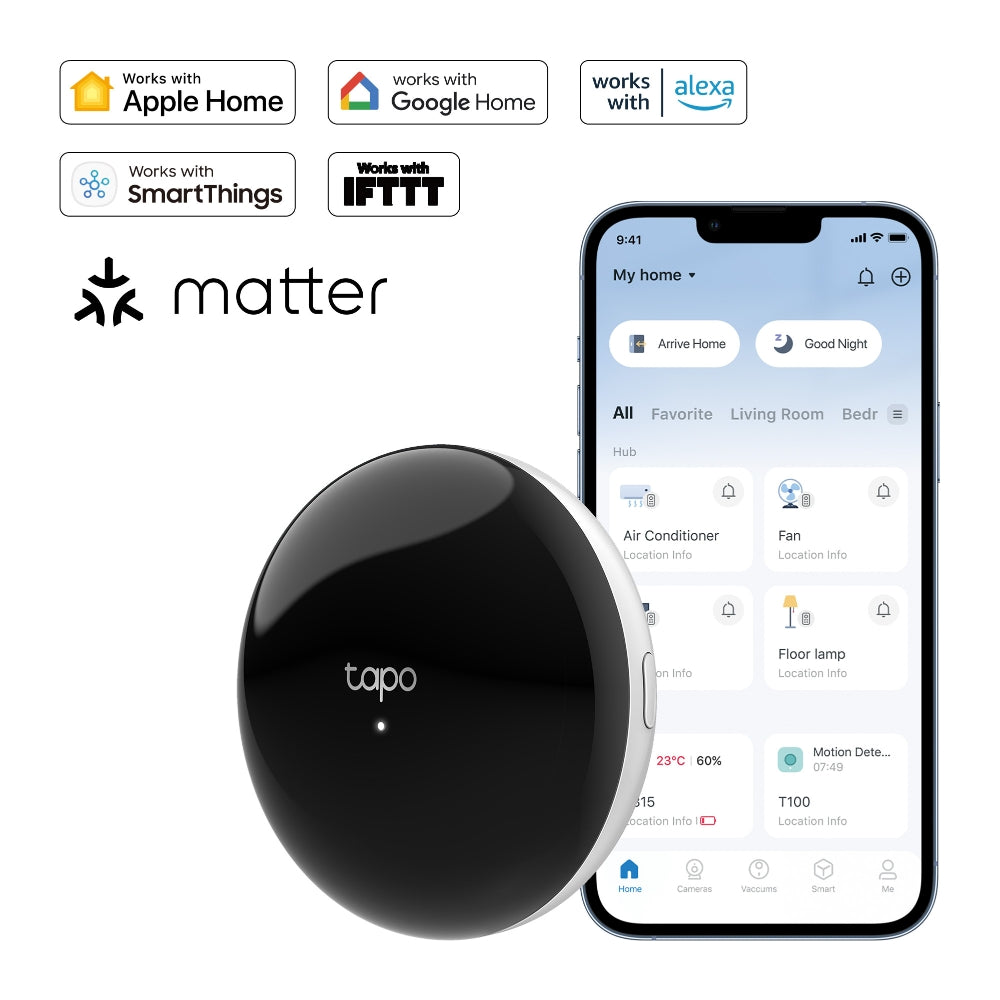
- Hands-Free Voice Control - Use simple voice commands via Siri, Alexa, or Google Assistant, to control your appliances without looking for your phone or remote control.
- Control Anytime, Anywhere via the App - Control your devices from the app anytime, anywhere, such as turning off the air conditioner you forgot to turn off when you're out.
- Set Custom Schedules - Create smart schedules for your appliances to fit your daily routine for further convenience.
- Location Control - Use GPS to detect your proximity and control appliances to ensure a comfortable home as soon as you arrive.
- Matter-Certified Connection Center - Connects and controls IR appliances and Tapo sensors, integrating them into the Matter ecosystem. *
- Even More Convenient with Tapo Smart Actions - Work seamlessly with Tapo smart devices such as sensors and cameras for a better smart life.
- Paring Home Appliances Made Easy - Press any button on the remote, and complete a few quick button tests in the app to pair your devices.
- Offline Control - Even if the external network is disconnected, the hub can still control devices within the same Local Area Network (LAN).


*This Matter-certified accessory requires an Apple Home hub such as HomePod or Apple TV running the latest software.
Trusted by Leading Publishers

FAQ
Use this text to share information about your product or shipping policies.
How do I migrate my Tapo devices from an old hub to a new one?
You can migrate devices directly through the Tapo app using the Device Migration or Connect Existing Devices feature.
Sub-G devices: Go to the old hub → Device Settings → Migrate Connected Devices, then select devices and the new hub.
Wi-Fi cameras: For Tapo H500 hub, go to 'Add a device → Connect Existing Devices' to select the Wi-Fi Camera you wish to migrate. or Tapo H100/Tapo H200 hub, click' Connected Devices → Connect Existing Devices', select the Wi-Fi Camera you wish to migrate.
The process usually completes within 30 seconds. Please do not restart or upgrade the hub during migration.
For step-by-step instructions with images, please refer to: https://www.tp-link.com/au/support/faq/4664/
Which Tapo hubs support doorbell ring?
All Tapo hubs can support the doorbell chime function, including H100, H110, H200, and H500, allowing you to hear doorbell alerts throughout your home.
However, there are differences in functionality:
H100 / H110: Work as chimes only (no video storage support).
H200 / H500: Support both chime and camera/doorbell video storage, including continuous recording (model-dependent).
If you need video recording and storage features, we recommend choosing H200 or H500 for a more complete smart home experience.
How do I connect Tapo devices to Amazon Alexa?
You can connect your Tapo devices to Alexa in two simple ways:
Via Tapo app: Go to Me > Third-Party Services > Amazon Alexa, then follow the steps to link your account
Via Alexa app: Search for the Tapo Skill, enable it, and log in with your TP-Link ID
If you rename a device, remember to rediscover it in Alexa. For detailed steps, please refer to: https://www.tp-link.com/au/support/faq/2780/